Tips and Troubleshooting
Keyboard shortcuts
| Key | What it does |
|---|---|
| 1 - 5 | Switch camera preset |
| F | Flip card |
| Esc | Exit fullscreen preview / open exit dialog |
| Double-click | Flip card (alternative) |
Keyboard shortcuts for camera presets are paused when you're typing in a text field, so you won't accidentally switch views while entering content.
Language support
The Card Designer and the share player are available in English, French, and Italian (Italian was added recently and is rolling out across the app and the share player).
Click the globe icon in the workspace (or in the share player toolbar) to switch languages. The chosen language persists across sessions, so you only need to set it once.
We're moving the language picker to a dropdown menu so it scales as more languages land. The functionality is the same either way — pick the language you want and the UI updates instantly.
Troubleshooting
My images aren't showing up
- Make sure you're using JPEG, PNG, or WebP files
- Drop the image directly onto the labeled zone — watch for the purple highlight before releasing
- If the image is very large, try resizing it before uploading
My export looks blurry
- Increase the resolution multiplier to 3x or 4x
- Use higher-resolution source images
- For the sharpest prints, use Card Faces mode instead of 3D Scene mode
The 3D preview isn't loading
- Make sure hardware acceleration is enabled in your browser settings
- Try a different browser (Chrome or Edge work best)
- Update your graphics drivers
My share link doesn't work for someone else
For local preview links (created with the Share button in the Export panel): these only work on the same browser and device where they were created. Use cloud sharing instead to share links that work for anyone.
For cloud share links, check these common causes:
- "Expired" — The link has passed its expiry date. Ask the creator to generate a new one
- "Revoked" — The creator has permanently deactivated this link
- "Sharing disabled" — The creator turned off sharing for this eCard
- "Too many attempts" — You've exceeded 5 password attempts. Wait for the countdown timer to reset
I can't sign in or create an account
- Double-check your email and password — passwords are case-sensitive
- If your session expired, just sign in again (sessions refresh automatically but can time out after extended inactivity)
- When creating an account, make sure your password is at least 8 characters and your email isn't already in use
My cloud save isn't working
- Upload seems stuck — Check your internet connection and try again
- "Description is required" — The description field is mandatory — fill it in before saving
- eCard not showing in the Projects panel — Try searching for it, or make sure you're signed into the correct account
GLB export shows errors
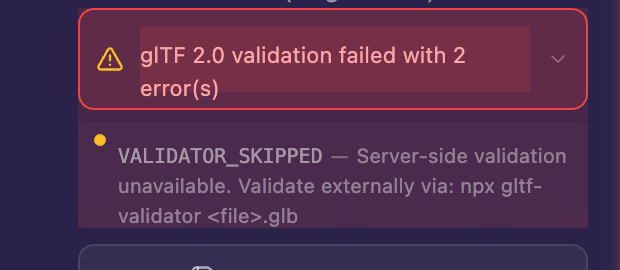
- Try turning on Bake Textures in the export settings
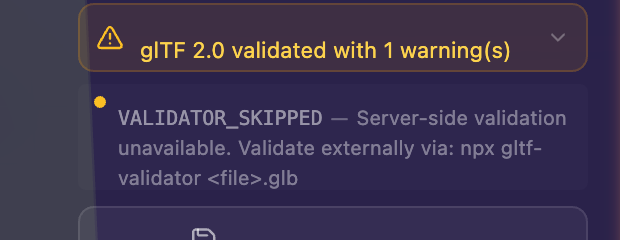
- If errors persist, reload the page, re-upload your images, and try again
What's new
Cloud save and cross-device sharing are now live! Check out:
- Your ELYSIUM Account — Create an account to unlock cloud features
- Projects and Cloud Save — Save, manage, and load your eCards from the cloud
- Sharing and Privacy — Share links with password protection, expiry, collaboration, and claiming
What's next?
The Card Designer is actively being developed. Coming soon:
- More card types and templates
Have questions or feedback? Join us on Discord or check the FAQ.